Baby Piano for Kids & Toddlers
- 2.9
- Rating
- 1.00M
- Installs
- Free
- Price
 Analysis by App-foxy
I spent time with Baby Piano for Kids & Toddlers as a simple music game for very young children, and my first impression was clear: it is designed to make touching the screen feel rewarding almost immediately. The idea is straightforward rather than ambitious. A child can explore piano-style sounds, songs, and musical activities without needing to read instructions or understand a complicated game system. For a parent nearby, that simplicity can be useful during a short play session.
This is a free game in the music category from Wow Kids Media, aimed at Everyone and available for devices running Android 6.0 or later. It has passed the one-million-install mark, so it is clearly reaching a large audience, although its average rating of 2.8 from roughly 425 ratings suggests that the experience is not equally satisfying for every family. I think that mixed reception is important: this is best viewed as a casual early-exploration toy, not a complete music-learning course.
How clearly the game works for different young players
I find the game’s clearest strength is how quickly a young child can connect a touch with a sound, without needing to read or follow a lesson. That makes it easier to try with children who have different attention spans or levels of confidence, though I’d still introduce it beside them and watch how they respond. It also helps set up the next question: what does that simple interaction actually offer during an ordinary play session?
You May Also Like

 Blood Strike: 2.5 Anniversary
Blood Strike’s Loadouts Turn Every Drop Into a Tactical Gamble
A close look at Blood Strike’s custom loadouts: how fast access to signature weapons reshapes its battle royale rhythm, rewards preparation, and narrows the gap between fights.

 Pandora - Music & Podcasts
Pandora’s Music Is Easy to Start, but Harder to Recover
Pandora’s strength is its low-effort path from a seed to a station. Its weak spot is how much confidence it asks you to place in connection, setup, and quiet recovery.

 8 Ball Pool
 Is Built on Rivalries, Rematches, and Routine
A close look at the rivalries, rematches, shared routines, and unanswered safety questions that turn a quick pool match into a persistent mobile community.

 Samsung Music
’s Quiet Strength Is Playing What You Already Own
Its reach comes less from spectacle than from dependable access to a personal library. That simplicity is both the app’s strongest retention engine and its ceiling.

 AccuWeather: Weather Radar
AccuWeather Review: A Quick, Clear Forecast for Everyday Decisions
For everyday plans, the best forecast is the one you can understand quickly. AccuWeather makes rain timing, radar, and local conditions easy to act on, with a few trade-offs.

 Hill Climb Racing
Why Hill Climb Racing Still Turns Crashes Into One More Run
A tiny car, a bumpy hill and one more upgrade: Hill Climb Racing keeps resurfacing because its simple chaos makes every near-miss feel personal.
More From Our News Desk



Readability and navigation for toddlers
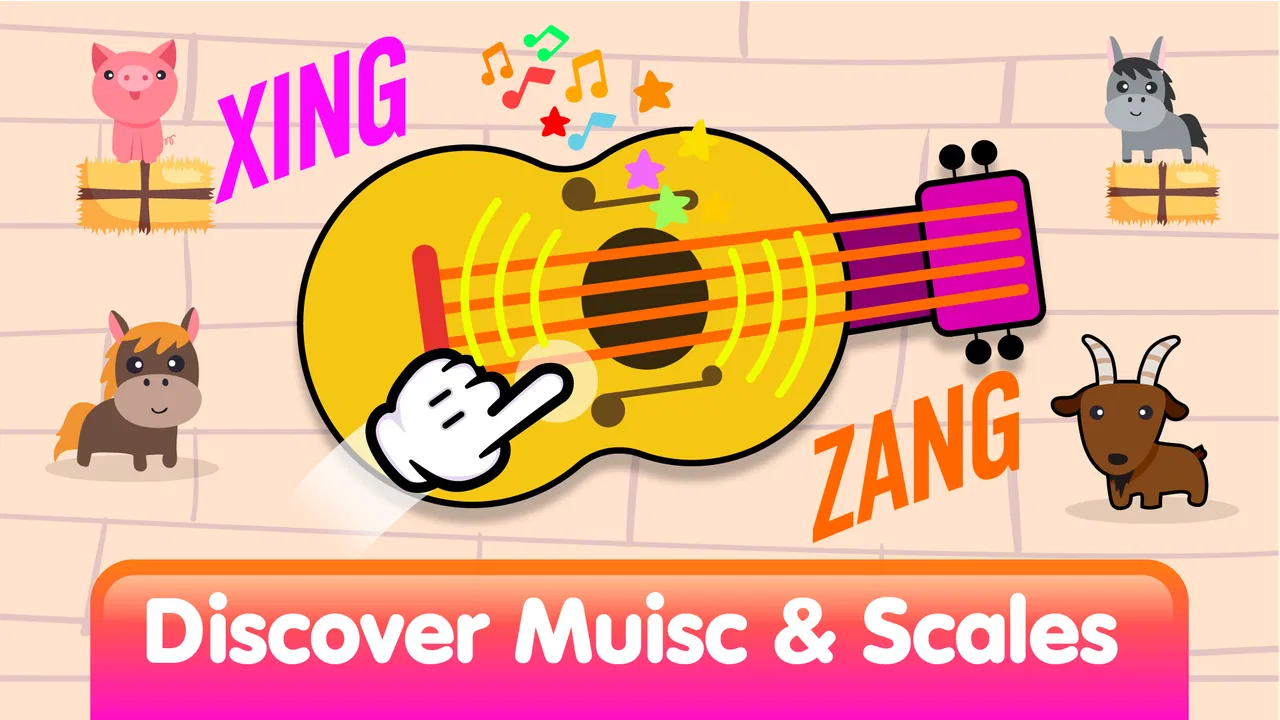
The strongest part of the design is that the main idea can be understood through visual and audio feedback. A toddler does not need to decode a long menu or follow written directions before making a sound. That matters because early users may not read at all, may not speak the language used in the interface, or may simply lose interest when an activity takes too long to explain.
In my experience, the best way to introduce it is to sit with the child for the first session and demonstrate one interaction at a time. I would tap a key, wait for the sound, then let the child try. This turns the game into a shared discovery activity instead of handing over a phone and expecting independent navigation. Once the child recognizes the basic pattern, the visual structure becomes easier to follow.
The short label “Baby Piano” sets an accurate expectation. You are not opening a traditional piano app with a full keyboard, notation, recording workflow, or lessons aimed at older learners. The appeal is immediate cause and effect: touch something, hear something, and continue experimenting. That narrow focus is helpful for a toddler, but it also means an older child may outgrow the experience quickly.
Parents should also remember that a child-friendly visual layout does not automatically mean every control is obvious to an adult. Before leaving a child to explore, I recommend checking the available screens and any purchase-related areas yourself. The game includes optional in-app purchases ranging from $1.99 to $23.99 per item, so supervising navigation is sensible even when the play itself feels uncomplicated.
Motor and sensory considerations
A piano-style game naturally invites tapping, which can make it approachable for children who are still developing precise hand control. A child does not need to hold a virtual instrument correctly or coordinate both hands in a formal lesson. Large, direct touches are more forgiving than activities that demand dragging along a narrow path or hitting a small target at exactly the right moment.
That does not make the experience equally comfortable for every child. Some toddlers tap with an entire palm, move unpredictably, or press several areas at once. A parent may need to guide the device into a stable position and model slower touches. I found that a short turn-taking routine works better than correcting every accidental sound: I make one sound, the child makes one sound, and then we listen together.
The sound element is a major part of the appeal, but it can also be tiring for children who are sensitive to repeated tones or sudden changes. I would begin with the device volume low and observe the child rather than assuming enthusiastic tapping means the sound level is comfortable. The game is more useful when the child remains curious and relaxed; turning the volume down does not remove the musical purpose.
Another practical point is that screen interaction is not the same as playing a physical piano. A real keyboard offers tactile spacing, resistance, and a clearer sense of where each key begins and ends. This game can support playful cause-and-effect learning, but I would not use it as evidence that a child is learning accurate finger placement or formal pitch relationships. For those goals, a small physical keyboard or a more structured music-learning tool is the better companion.
Situational access at home and on the move
The game fits short, supervised moments particularly well. A realistic example would be a parent preparing dinner while a toddler sits nearby at the kitchen table. After checking the controls and setting a comfortable volume, the child can spend a few minutes tapping through musical activities while the parent remains within reach. I would not treat it as a substitute for supervision, but it can provide a focused activity during a small gap in the day.
It can also work during a quiet waiting period, such as sitting in a reception area or traveling with a family member, provided the sound is kept low or muted when appropriate. The lack of a physical instrument makes it easier to carry than a toy keyboard, and the free entry price removes the need to buy hardware before deciding whether the child enjoys this kind of play.
However, a phone or tablet is not always the most suitable setting. In a busy car, on a crowded train, or anywhere the child may drop the device, the practical risk can outweigh the benefit. A durable physical toy may be a better choice for independent handling, while a downloaded song collection may be less distracting when the goal is simply to keep a child calm.
Families sharing one device should plan around interruptions. A toddler may touch navigation areas accidentally, switch away from the activity, or become frustrated if an adult needs the phone. I suggest using a dedicated play moment rather than offering the game whenever the child asks for a screen. That small boundary makes it easier to keep the activity purposeful and reduces conflict when the device has to be put away.
Where the inclusive design still has limits
The game’s simple premise may help children who are not ready for text-heavy instructions, but simplicity alone does not solve every access need. Children differ in vision, hearing, attention, motor control, and tolerance for stimulation. I would avoid promising that the game will suit a child with a particular disability unless a parent has tested it directly on the child’s device and observed how the child responds.
Visual cues are only useful when a child can distinguish them comfortably, and musical feedback is only useful when sound is accessible and pleasant. If a child has reduced hearing, a visual-only activity may be more appropriate; if a child has difficulty seeing small or changing elements, a physical instrument with clear tactile spacing may work better. The right choice depends on the child’s abilities and the device being used, not just on the age label.
There is also an attention trade-off. A toddler who enjoys quick sounds may keep tapping without listening to the result. That is not necessarily a problem during free play, but it limits the educational value. I get more from the game when I add a simple prompt such as “Can you make one sound, then wait?” or “Which sound did you hear?” These prompts turn random tapping into listening practice without pretending the app is a formal lesson.
Parents should be prepared for the possibility that the child finds the experience boring after the novelty fades. The current version is 1.4.3, and the game has been available since May 2, 2024, but neither the recent version number nor its popularity changes the basic nature of the product. It remains a lightweight toddler activity. If your child wants progression, challenges, recognizable lesson stages, or a path toward playing real songs, you will probably need a different option.
How it compares with familiar alternatives
Compared with a physical toy piano, this game is easier to carry and cheaper to try, but it provides less tactile feedback. A toy can be grabbed, turned, and explored without worrying about a fragile screen. It may also feel more natural for a child who learns through whole-body movement. The app wins when space, portability, or immediate availability matters.
Compared with a standard piano-learning app, this title is less demanding and more suitable for a child who cannot yet read or follow a lesson. That is its clearest advantage. A serious learning app is usually a better fit for school-age children who want measurable practice, while this game is better for early experimentation and shared parent-child play.
Compared with simply playing music for a child, the game adds an element of agency. The child is not only listening; they are causing sounds through touch. On the other hand, passive listening can be calmer and more appropriate during meals, bedtime routines, or public situations. I would choose the game when I want interaction and choose ordinary music when I want a quieter atmosphere.
The free download is useful for testing that difference, but the optional purchases deserve attention. I would let the child try the basic experience first and decide whether it holds attention before spending anything. Because the price range reaches $23.99 per item, an adult should handle purchasing decisions and avoid treating paid content as necessary for the game’s basic purpose.
Practical ways to get more from a short session
My first tip is to use the game as a prompt for real-world sounds rather than as a self-contained lesson. After a few taps, I might point out a spoon, a cup, or a toy and make a gentle rhythm together. This gives the child a connection between the screen’s sounds and the wider idea of rhythm, while keeping the activity from becoming endless isolated tapping.
My second tip is to keep sessions brief and end while the child is still interested. There is no benefit in stretching a toddler’s attention until frustration appears. A few minutes of focused exploration, followed by putting the device away, can be more successful than a long unsupervised period. The game is particularly well suited to this stop-and-start rhythm because it does not require a lengthy setup.
My third tip is to use different roles. One person can tap while another sings, claps, or names what happened. This is useful for children who are hesitant to touch the screen, because they can participate by listening or copying a rhythm first. It also makes the game more inclusive within a family: participation does not have to mean controlling the device.
Finally, I would test the experience in the exact context where it will be used. A child who enjoys it beside a parent may react differently in a noisy room or while tired. Check the volume, hold the device securely, and watch whether the child can see and reach the interactive areas comfortably. These small checks matter more than assuming that an Everyone rating guarantees a perfect fit for every toddler.
Who should choose it, and who should skip it
I would recommend this music game to parents who want an easy first introduction to interactive sounds, especially for a toddler who enjoys tapping and responds well to immediate feedback. It is also a reasonable low-commitment experiment for families that do not yet know whether a child will enjoy digital music play. The free starting point and uncomplicated concept make that trial approachable.
I would be more cautious for families seeking a structured educational program. There is a meaningful difference between exploring piano sounds and learning piano. If your priority is reading notes, building technique, practicing complete pieces, or tracking progress, look toward a dedicated lesson tool or an actual instrument instead. This game should complement those experiences, not replace them.
I would also skip it when the child becomes overstimulated by repeated sounds, when the device cannot be supervised, or when the family needs a completely quiet activity. In those situations, books, tactile toys, physical instruments, or carefully selected audio may be more suitable. The game’s usefulness depends heavily on context, volume, and adult involvement.
My inclusive verdict
Baby Piano for Kids & Toddlers succeeds as a small, approachable space for musical exploration. I like that a young child can begin through touch rather than reading, and I appreciate the way a parent can turn a few minutes of screen time into listening, imitation, and shared play. It is accessible in spirit because it keeps the first interaction simple, but families should still test the visual and audio experience against the individual child.
The limitations are just as clear. It is not a physical piano, not a full music curriculum, and not automatically comfortable for every sensory or motor profile. The mixed 2.8 average rating from around 425 ratings also tells me that parents should try it with realistic expectations instead of assuming that a popular download will suit every household. Its one-million-plus installs show reach, not a guarantee of quality for a particular child.
For me, the best use is a supervised, low-pressure activity: a toddler taps, an adult listens and responds, and the session ends before the screen becomes the whole event. Wow Kids Media has made something easy to approach, but its value comes from how thoughtfully the family uses it. If you want a gentle first step into interactive music rather than formal piano teaching, this free game is worth trying; if you need deep instruction, tactile learning, or highly tailored accessibility, choose a more specialized alternative.
FAQs for Baby Piano for Kids & Toddlers
01What age group is Baby Piano for Kids & Toddlers suitable for?
Baby Piano for Kids & Toddlers is designed for young children, typically between the ages of 1 to 5 years. The app provides an engaging and educational experience for toddlers, helping them develop basic musical skills and cognitive abilities through fun and interactive gameplay.
02Does Baby Piano for Kids & Toddlers have any in-app purchases?
Yes, while Baby Piano for Kids & Toddlers offers a range of free features, it also includes optional in-app purchases. These purchases can unlock additional songs, instruments, and themes, enhancing the overall experience. Parents should monitor and manage these settings to avoid unintended purchases.
03Is Baby Piano for Kids & Toddlers available on both Android and iOS?
Yes, Baby Piano for Kids & Toddlers is available for download on both Android and iOS platforms. Users can easily find it on the Google Play Store for Android devices and the Apple App Store for iOS devices, ensuring broad accessibility for different users.
04What educational benefits does Baby Piano for Kids & Toddlers offer?
Baby Piano for Kids & Toddlers provides numerous educational benefits, including the development of fine motor skills, auditory recognition, and musical creativity. By interacting with the colorful keys and playful melodies, toddlers can enhance their cognitive skills and gain a basic understanding of music.
05Is Baby Piano for Kids & Toddlers safe for my child to use?
Yes, Baby Piano for Kids & Toddlers is designed with child safety in mind. The app features a user-friendly interface, devoid of inappropriate content or ads. Additionally, parental controls are available to manage screen time and in-app purchases, ensuring a safe and enjoyable experience for your child.
Pros
- Engaging colorful interface for toddlers.
- Simple controls easy for small hands.
- Wide variety of songs and sounds.
- Enhances musical and motor skills.
- No in-app purchases for worry-free use.
Cons
- Limited song selection can get repetitive.
- Requires adult setup before play.
- No offline mode availability.
- Ads may interrupt play sessions.
- Graphics not optimized for older devices.

Baby Piano for Kids & Toddlers
Gallery